Project details
Budget:
No described
Client:
Trustly
Tool:
Figma
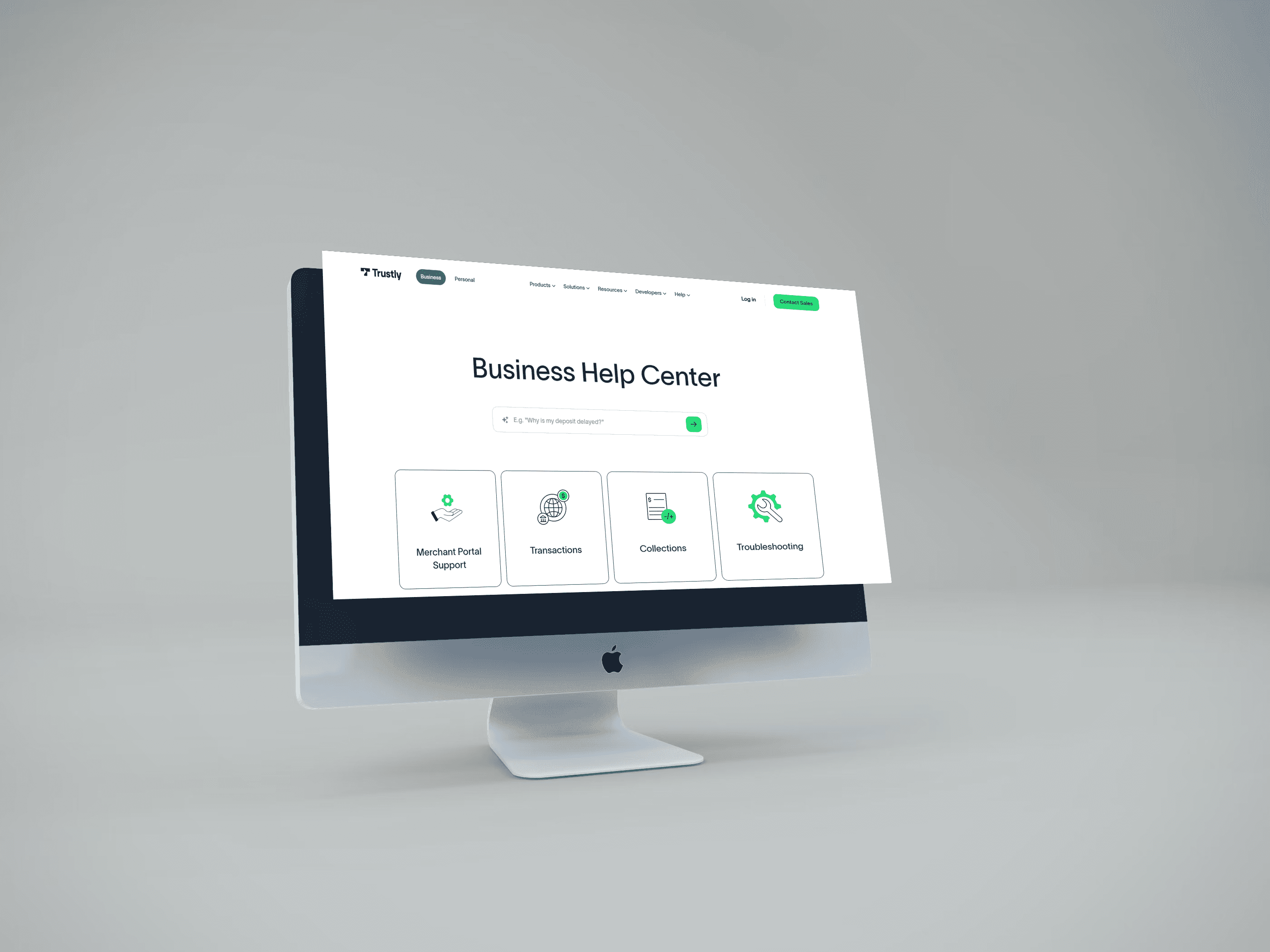
AI on Help Center - Fintech Company
In today’s rapidly evolving digital landscape, Trustly stands out as a leader in redefining the way businesses interact with financial technology. The fintech innovator has built its reputation not just on secure and efficient payment solutions, but also on its outstanding approach to user-centric design. Trustly’s help center philosophy is centered on creating seamless, intuitive, and supportive experiences for its business users, whether they are managing transactions, seeking guidance, or exploring integration options.
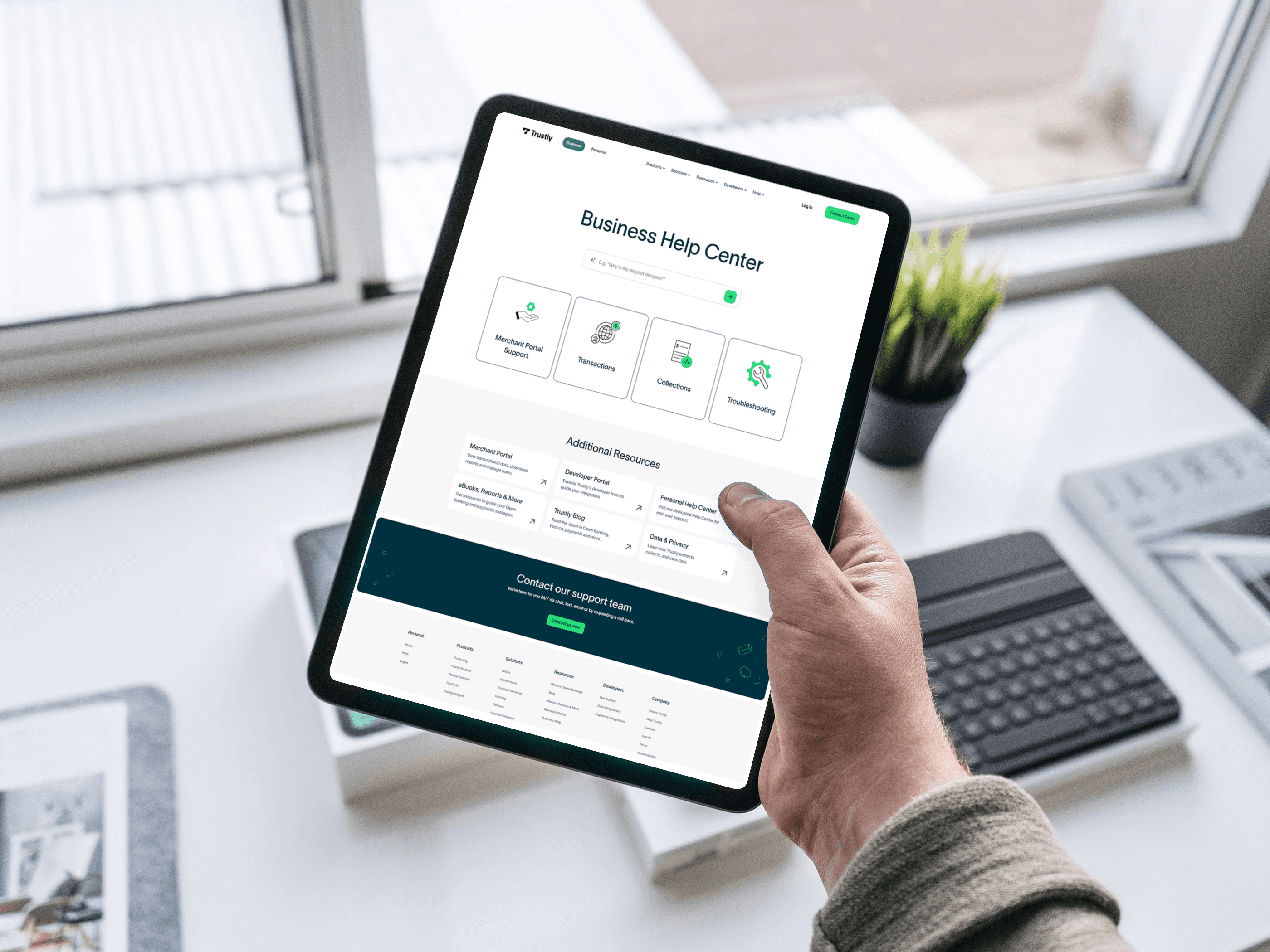
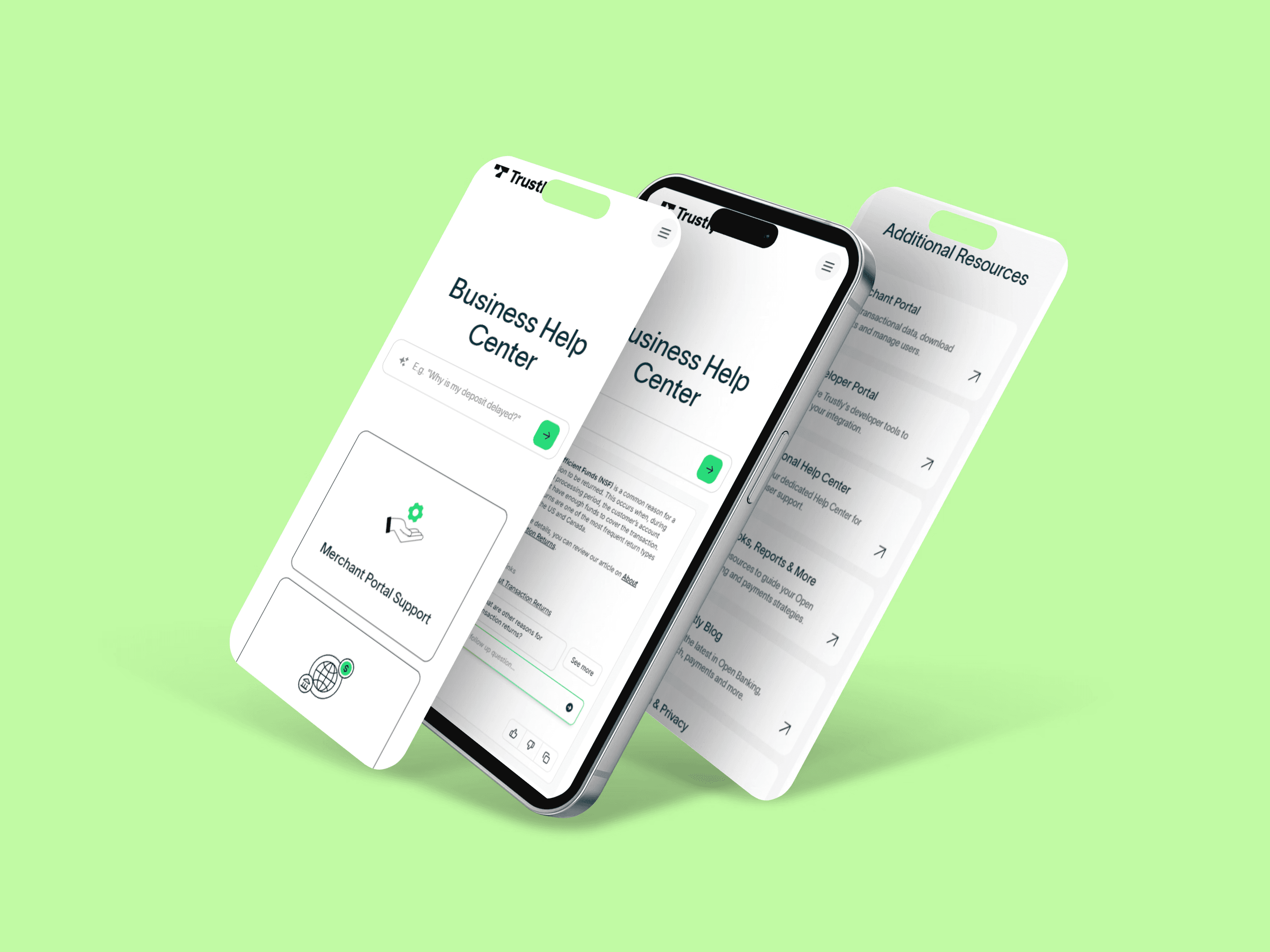
In this blog, we’ll dive into Trustly’s approach to digital support design and how they achieve a perfect blend of UI (User Interface) and UX (User Experience) within their Business Help Center.
1. User-Centered Design: Putting People First
At the heart of Trustly’s support philosophy lies user-centered design (UCD). This approach is grounded in a deep understanding of the needs, goals, and behaviors of business users, ensuring that the Help Center delivers meaningful, efficient, and reliable experiences. Trustly actively engages with its users to design support resources that not only solve problems but also empower businesses to navigate complex payment systems with ease.
The Trustly team conducts ongoing research, including user interviews, feedback loops, and behavior analysis, to understand how businesses interact with the Help Center. This insight enables the team to refine content, navigation, and functionality—ensuring the platform meets both operational demands and user expectations.
By embracing UCD, Trustly ensures that every touchpoint within its Business Help Center—from integration guidance to troubleshooting support—is not only practical and efficient but also intuitive and purpose-driven.
1. User-Centered Design: Putting People First
At the heart of Trustly’s support philosophy lies user-centered design (UCD). This approach is grounded in a deep understanding of the needs, goals, and behaviors of business users, ensuring that the Help Center delivers meaningful, efficient, and reliable experiences. Trustly actively engages with its users to design support resources that not only solve problems but also empower businesses to navigate complex payment systems with ease.
The Trustly team conducts ongoing research, including user interviews, feedback loops, and behavior analysis, to understand how businesses interact with the Help Center. This insight enables the team to refine content, navigation, and functionality—ensuring the platform meets both operational demands and user expectations.
By embracing UCD, Trustly ensures that every touchpoint within its Business Help Center—from integration guidance to troubleshooting support—is not only practical and efficient but also intuitive and purpose-driven.
1. User-Centered Design: Putting People First
At the heart of Trustly’s support philosophy lies user-centered design (UCD). This approach is grounded in a deep understanding of the needs, goals, and behaviors of business users, ensuring that the Help Center delivers meaningful, efficient, and reliable experiences. Trustly actively engages with its users to design support resources that not only solve problems but also empower businesses to navigate complex payment systems with ease.
The Trustly team conducts ongoing research, including user interviews, feedback loops, and behavior analysis, to understand how businesses interact with the Help Center. This insight enables the team to refine content, navigation, and functionality—ensuring the platform meets both operational demands and user expectations.
By embracing UCD, Trustly ensures that every touchpoint within its Business Help Center—from integration guidance to troubleshooting support—is not only practical and efficient but also intuitive and purpose-driven.
2. Enhancing the User Experience with Smart Features
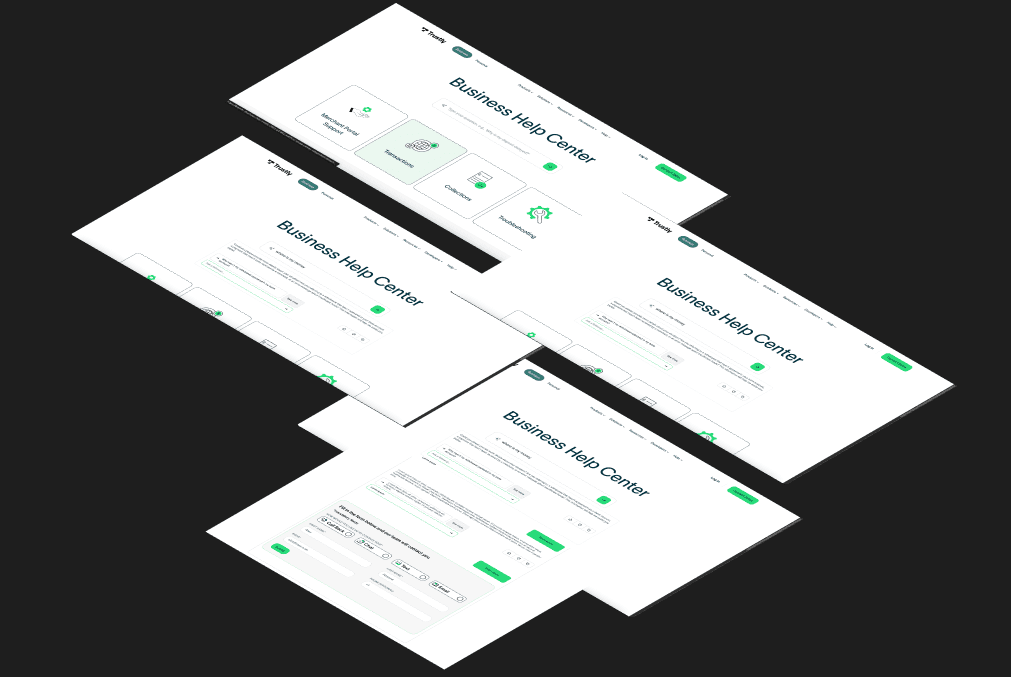
Trustly doesn’t stop at creating a clean, accessible Help Center interface. It goes a step further by embedding intelligent features that actively enhance the user experience. From guided workflows to contextual assistance and smart search functionality, Trustly’s support ecosystem is designed to deliver meaningful, time-saving interactions tailored to personal and business users’ needs.
Smart search capabilities allow users to quickly surface relevant articles, documentation, and troubleshooting steps—reducing friction and eliminating unnecessary guesswork. The Help Center intelligently surfaces content based on user intent, enabling faster resolution and a more personalized support journey.
Interactive guides and step-by-step walkthroughs provide businesses with actionable support during complex processes such as integration, reconciliation, and API configuration. These tools are optimized for clarity, ensuring that users at all technical levels can confidently navigate the platform.
Additionally, dynamic FAQs and context-aware suggestions help anticipate user needs, guiding them toward the right resources in real time. These features are thoughtfully integrated into Trustly’s support design to ensure that the Help Center is not only a repository of information, but an intuitive, intelligent space for proactive problem-solving.
By embedding these smart support features, Trustly empowers business users to work more efficiently, resolve issues faster, and unlock the full potential of the platform.
Access on production on: https://us.trustly.com/business-help
2. Enhancing the User Experience with Smart Features
Trustly doesn’t stop at creating a clean, accessible Help Center interface. It goes a step further by embedding intelligent features that actively enhance the user experience. From guided workflows to contextual assistance and smart search functionality, Trustly’s support ecosystem is designed to deliver meaningful, time-saving interactions tailored to personal and business users’ needs.
Smart search capabilities allow users to quickly surface relevant articles, documentation, and troubleshooting steps—reducing friction and eliminating unnecessary guesswork. The Help Center intelligently surfaces content based on user intent, enabling faster resolution and a more personalized support journey.
Interactive guides and step-by-step walkthroughs provide businesses with actionable support during complex processes such as integration, reconciliation, and API configuration. These tools are optimized for clarity, ensuring that users at all technical levels can confidently navigate the platform.
Additionally, dynamic FAQs and context-aware suggestions help anticipate user needs, guiding them toward the right resources in real time. These features are thoughtfully integrated into Trustly’s support design to ensure that the Help Center is not only a repository of information, but an intuitive, intelligent space for proactive problem-solving.
By embedding these smart support features, Trustly empowers business users to work more efficiently, resolve issues faster, and unlock the full potential of the platform.
Access on production on: https://us.trustly.com/business-help
2. Enhancing the User Experience with Smart Features
Trustly doesn’t stop at creating a clean, accessible Help Center interface. It goes a step further by embedding intelligent features that actively enhance the user experience. From guided workflows to contextual assistance and smart search functionality, Trustly’s support ecosystem is designed to deliver meaningful, time-saving interactions tailored to personal and business users’ needs.
Smart search capabilities allow users to quickly surface relevant articles, documentation, and troubleshooting steps—reducing friction and eliminating unnecessary guesswork. The Help Center intelligently surfaces content based on user intent, enabling faster resolution and a more personalized support journey.
Interactive guides and step-by-step walkthroughs provide businesses with actionable support during complex processes such as integration, reconciliation, and API configuration. These tools are optimized for clarity, ensuring that users at all technical levels can confidently navigate the platform.
Additionally, dynamic FAQs and context-aware suggestions help anticipate user needs, guiding them toward the right resources in real time. These features are thoughtfully integrated into Trustly’s support design to ensure that the Help Center is not only a repository of information, but an intuitive, intelligent space for proactive problem-solving.
By embedding these smart support features, Trustly empowers business users to work more efficiently, resolve issues faster, and unlock the full potential of the platform.
Access on production on: https://us.trustly.com/business-help